

Airweave Connect
Let your users connect their own data sources with a pre-built, embeddable UI component. No auth UI to build.
Airweave Connect is a hosted, embeddable UI widget that lets end users connect their apps (Slack, GitHub, Google Drive, Notion, and more) directly inside your product. Think of it like Plaid for data integrations: you add a button, your users click it, and their data starts syncing.
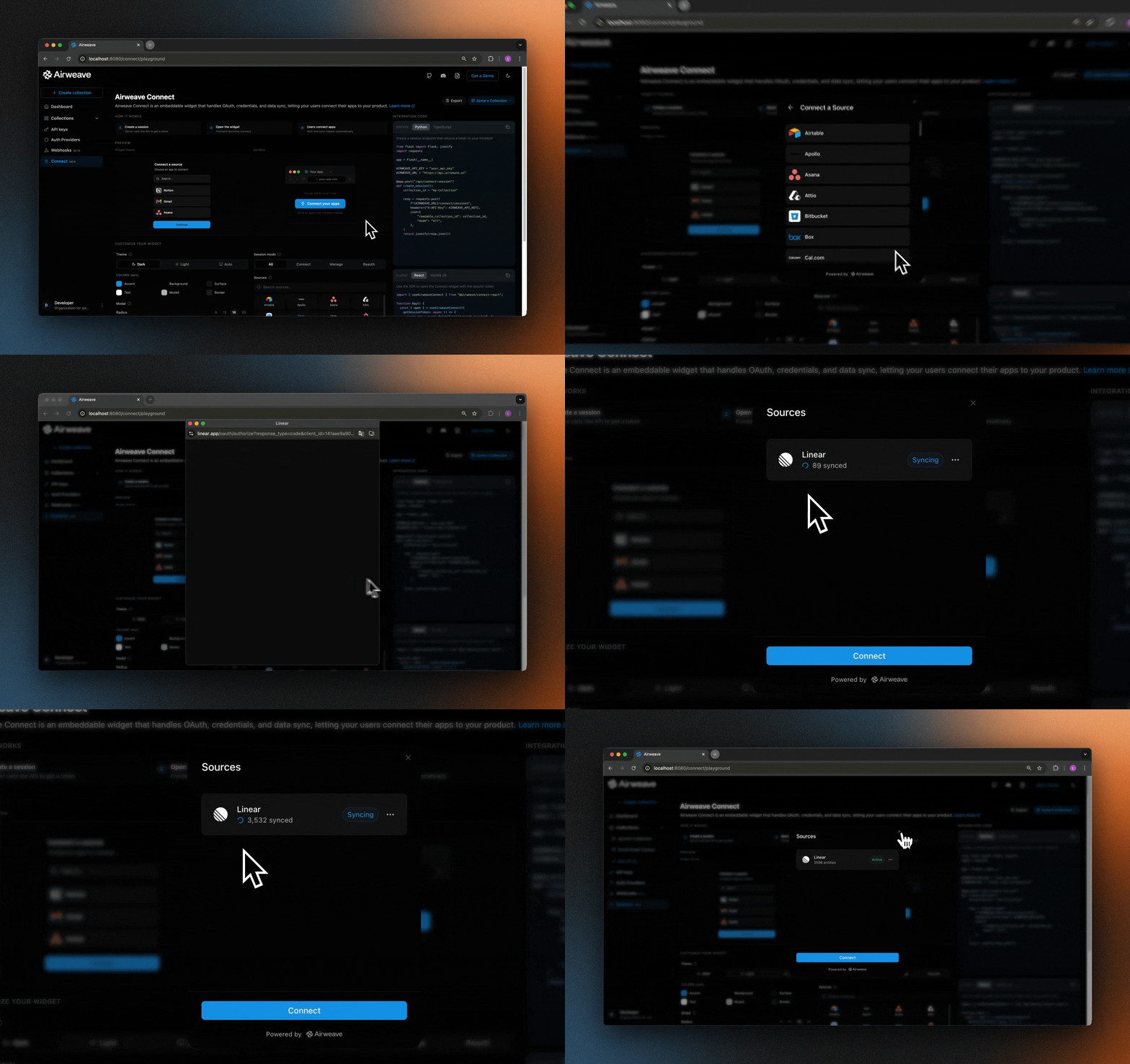
OAuth flows, credential forms, and connection management are all handled for you.
Match your brand with custom colors, fonts, and dark/light mode support.
React hook, vanilla JS class, or raw iframe. Integrate however you like.
How it works
The widget runs inside an iframe hosted by Airweave. Your backend creates a short-lived session token, your frontend passes it to the widget via postMessage, and the widget handles the rest.
The flow in three steps:
Your backend creates a session
Call POST /connect/sessions with your API key. This returns a short-lived session token scoped to a specific collection and optionally restricted to certain integrations.
Quickstart
1. Create a Connect session (server-side)
Your backend creates a session token by calling the Airweave API with your API key. Never expose your API key to the browser.
The response contains the session token:
Session tokens expire after 10 minutes by default (extended to 30 minutes during OAuth flows). Create a new token each time you open the modal. The React and JS SDKs handle this automatically via the getSessionToken callback.
2. Add the Connect widget (client-side)
Choose the integration method that fits your stack:
React
Vanilla JS
Raw iframe
Install the React package:
Use the useAirweaveConnect hook in your component:
Session modes
The mode parameter controls what users can do inside the widget:
Use connect when onboarding new users, manage for a settings page, and reauth when a connection needs its credentials refreshed.
Restricting integrations
Use allowed_integrations to limit which sources appear in the widget. Pass a list of connector short names:
If allowed_integrations is omitted, all available connectors are shown.
Theme customization
Pass a theme object to match the widget to your brand. Supports separate palettes for dark and light modes.
You can also update the theme while the modal is open:
Event callbacks
SDK reference
React: useAirweaveConnect(options)
Options:
Returns:
Vanilla JS: new AirweaveConnect(config)
The AirweaveConnect class accepts the same options as the React hook. Key methods:
Session API reference
POST /connect/sessions
Creates a Connect session. Requires an API key.
Request body:
Response:
Security
- Session tokens are HMAC-signed and expire after 10 minutes. Create a new token for each modal open. The SDKs handle this automatically.
- API keys must only be used server-side. Never include them in frontend code or responses.
- Collection scoping: the collection is bound to the session at creation time. The widget cannot escalate to other collections.
allowed_integrationslets you restrict which connectors are visible, reducing your attack surface.- Origin validation: the Connect widget validates
postMessageorigins. Once it receives the first token from your app, it only accepts subsequent messages from that same origin.
Self-hosting
If you’re running Airweave on your own infrastructure, set connectUrl to point at your self-hosted Connect widget:
You’ll also need to point the Connect widget’s API_URL environment variable at your self-hosted Airweave API:
Try it in the playground
The Connect Playground in the Airweave dashboard lets you configure a session, customize the theme, pick allowed integrations, and preview the widget before writing a line of code. It also generates ready-to-use backend and frontend snippets you can copy directly into your app.